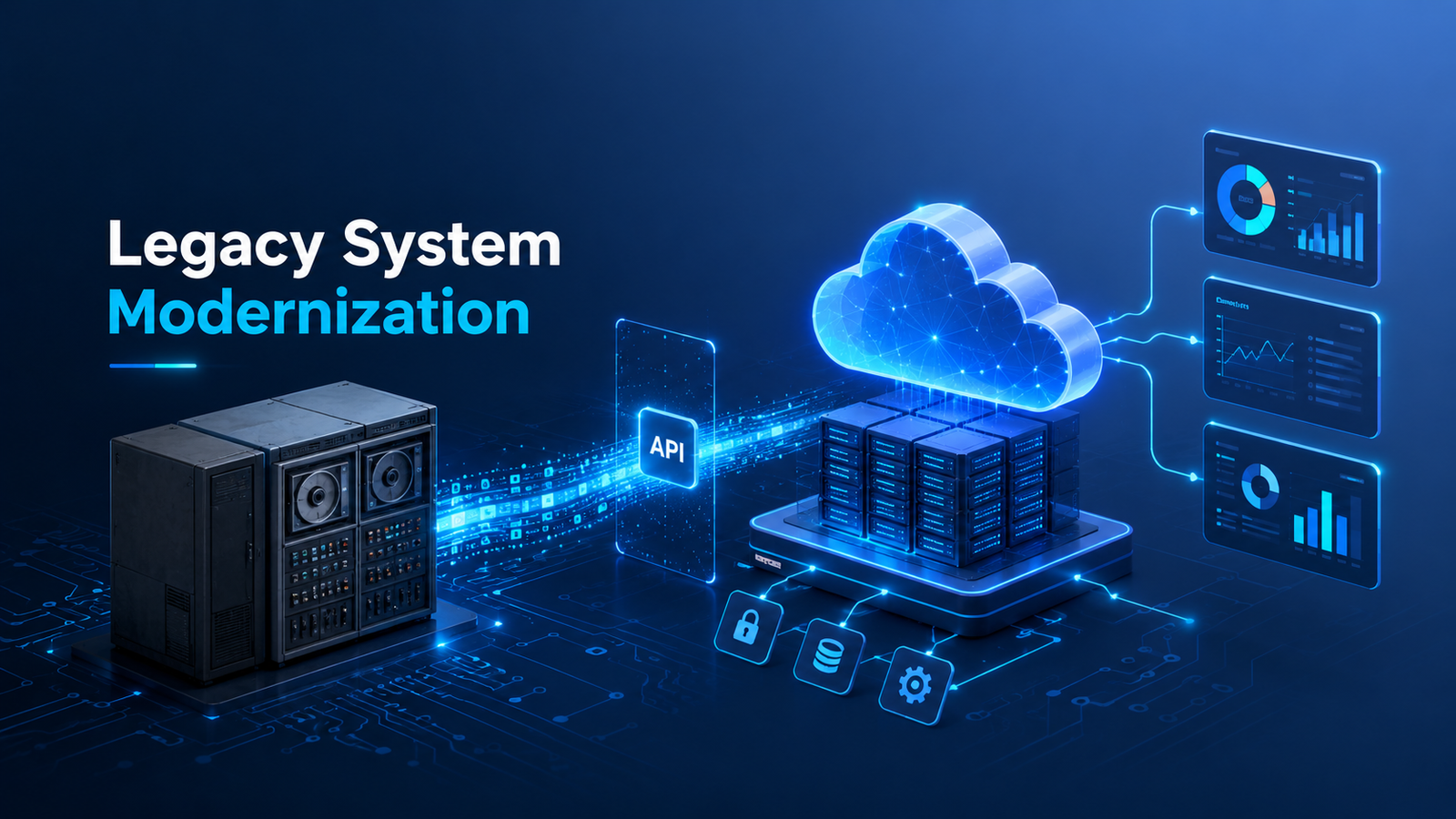
Legacy systems are the dark matter of enterprise IT. They are invisible to the business strategy conversation, often poorly documented, frequently misunderstood — and absolutely central to how the organization functions every single day. The payroll system that nobody touches because touching it breaks things. The customer database that runs on hardware no longer manufactured. The core business application built in 2003 that the entire operation still depends on but that only two people know how to maintain.
Legacy system modernization is one of the highest-stakes technology decisions an organization makes. Done well, it unlocks years of suppressed capability and eliminates compounding technical debt. Done poorly, it consumes enormous budget, disrupts operations, and sometimes delivers nothing. This guide gives you a clear framework for recognizing when modernization is genuinely necessary, understanding your options, and planning an approach that minimizes risk while maximizing return.
| Definition: A legacy system is not simply old software. It is software that is difficult or impossible to change, costly to maintain, incompatible with modern integration requirements, and dependent on skills, hardware, or platforms that are increasingly scarce — regardless of its age. A five-year-old system built on an obsolete stack can be a legacy system. A twenty-year-old system that is well-maintained and fully supported may not be. |
The True Cost of Legacy Systems: Why Modernization Cannot Be Deferred Indefinitely
The instinct to defer legacy system modernization is understandable. The systems work, change is risky, and the budget required is significant. But deferral has its own compounding costs. According to Gartner, organizations spend 60-80% of their IT budgets simply maintaining existing systems — leaving 20-40% for innovation. McKinsey estimates that legacy technology costs US companies alone over $500 billion annually in excess maintenance and opportunity cost.
Beyond direct cost, legacy systems create strategic drag. They limit the speed at which the business can respond to market changes, because every new digital initiative must integrate with or work around aging infrastructure. It create security exposure through unpatched vulnerabilities in unsupported software versions. They create key-person risk as the small number of engineers who understand the system retire or leave. And they accumulate technical debt that grows more expensive to address with every year of deferral.
Seven Signs Your System Needs Modernization
1. Maintenance Costs Are Consuming Your Budget
When the cost of keeping a system running — patching, bug fixing, workaround development, and emergency response — consistently exceeds 60% of the system’s total IT allocation, you are maintaining rather than innovating. This is the clearest financial signal that legacy system modernization is no longer optional. The system is consuming resources that should be building competitive capability.
2. The System Cannot Integrate With Modern Tools
Modern business operates through integrated digital ecosystems — CRM, ERP, analytics platforms, customer portals, partner APIs. If your core system lacks modern API capabilities and requires manual data transfers, CSV exports, or custom middleware for every integration, it is actively limiting your digital transformation agenda. Each workaround is a point of fragility and a drain on engineering capacity.
3. Finding Qualified Developers Is Becoming Impossible
COBOL developers are in their 60s. The number of engineers who know how to maintain systems built on platforms from the 1990s and early 2000s shrinks every year. When your system’s maintenance depends on a handful of engineers whose institutional knowledge cannot be transferred and who will eventually retire, you are one resignation away from a crisis. Legacy system modernization converts this key-person risk into a maintainable, documented codebase that any competent modern development team can work with.
4. The System Cannot Run on Modern Infrastructure
Software that requires specific hardware configurations, specific operating system versions, or specific database versions that vendors no longer support creates mounting infrastructure risk. When the hardware fails and replacement parts are no longer manufactured, or when a security vulnerability in an unsupported OS cannot be patched, the urgency of modernization becomes crisis-level. Proactive application modernization services address this before it becomes an emergency.
5. Security and Compliance Requirements Cannot Be Met
Regulatory requirements evolve. GDPR, PCI DSS 4.0, HIPAA updates, and sector-specific compliance frameworks impose security and data handling requirements that legacy systems were never designed to meet. If you cannot implement encryption at rest, cannot produce audit logs in required formats, cannot implement multi-factor authentication, or cannot demonstrate data lineage — and the legacy system is the bottleneck — modernization is a compliance necessity, not just a technology preference.
6. Business Users Are Building Dangerous Workarounds
When the gap between what a legacy system can do and what the business needs becomes too wide, users fill it themselves — with spreadsheets, manual data transfers, shadow IT tools, and ad-hoc processes that sit outside IT governance, outside security controls, and outside disaster recovery plans. These workarounds are where data loss, compliance failures, and operational incidents live. Their proliferation is a reliable signal that the underlying system has reached the end of its useful life.
7. New Feature Delivery Has Slowed to a Crawl
When a change that should take a developer one day takes three weeks because the system’s architecture makes every change a high-risk, full-regression-test event — you are paying a velocity tax that compounds with every sprint. Legacy system modernization restores delivery speed by replacing brittle, tightly coupled architecture with modular, testable, deployable components.
Legacy System Modernization Strategies: The Seven Rs
Not every legacy system requires a complete rebuild. Gartner’s ‘7 Rs’ framework provides a structured vocabulary for modernization options, ranging from minimal intervention to full replacement:
| Strategy | Description | Best When |
| Retain | Keep the system as-is for now | System is stable and not on critical path for change |
| Retire | Decommission the system entirely | System is redundant or business capability is no longer needed |
| Rehost (Lift & Shift) | Move to cloud infrastructure with no code changes | Need cloud benefits quickly; code quality is acceptable |
| Replatform | Move to cloud with minor optimizations (e.g., managed database) | Want some cloud-native benefits without full refactoring |
| Repurchase | Replace with modern SaaS or off-the-shelf solution | Standard business function well-served by a commercial product |
| Refactor / Re-architect | Restructure code without changing external behavior | Good core logic buried in poor architecture; team has time |
| Rebuild | Rewrite from scratch using modern technology | System is beyond salvage; requirements are well understood |
| The most common mistake in legacy system modernization planning is defaulting to ‘Rebuild’ without seriously evaluating Rehost, Replatform, or Refactor options. A full rebuild carries the highest risk, takes the longest, and most frequently fails to deliver on its promises. Start with the minimal intervention that solves the critical problem. |
How to Plan a System Modernization Programme
Step 1: System Inventory and Assessment
Before any modernization decision is made, you need a complete, honest picture of what you have. A legacy system assessment documents every system in your portfolio, maps dependencies between systems, evaluates each system’s business criticality, technical health, and modernization urgency, and identifies integration points that will be affected by changes. Application modernization services typically begin with this assessment phase, which provides the evidence base for all subsequent decisions.
Step 2: Define the Target State
Modernization without a clear target state is a journey without a destination. Define what the modernized architecture should look like — cloud-native or cloud-hosted, microservices or modular monolith, specific technology stack — and what business capabilities the modernized system must enable that the current system cannot. This target state becomes the north star that every migration decision is evaluated against.
Step 3: Sequence the Work Using a Migration Wave Plan
Attempting to modernize everything simultaneously is a recipe for failure. Effective legacy system modernization programmes sequence work into waves based on business impact, technical dependency, and risk. Low-dependency, high-maintenance systems are excellent first targets — they deliver early wins without requiring changes to core business-critical systems. Core system migration follows once the team has built migration capability and confidence.
Step 4: Manage Data Migration With Extreme Care
Data migration is consistently the most underestimated component of legacy system modernization. Legacy systems frequently contain decades of data in formats, schemas, and quality states that were never designed for modern consumption. A rigorous data migration approach includes data profiling and quality assessment, transformation mapping, test migrations with validation, parallel running periods where both old and new systems are live, and documented rollback procedures for every migration phase.
Step 5: Run the Old and New Systems in Parallel
The Strangler Fig pattern — gradually routing functionality from old to new systems while both run simultaneously — is the gold standard for risk management in legacy system modernization. Users do not experience a hard cutover. Traffic is shifted incrementally. Issues are caught and corrected before the old system is decommissioned. This approach takes longer but dramatically reduces the risk of catastrophic failure that haunts big-bang migrations.
Step 6: Decommission With Documentation
When a legacy system is fully replaced, proper decommissioning — documented sign-off, data archiving according to retention policies, license termination, and hardware disposal — closes the programme cleanly. Systems that are ‘sort of retired but still running just in case’ continue to accrue maintenance cost and security risk indefinitely.
Cloud Migration as a Modernization Path
For many organizations, cloud migration services represent the most practical first step in legacy system modernization. Moving to cloud infrastructure — even without changing the application code — immediately eliminates hardware obsolescence risk, provides elastic scaling, improves disaster recovery, and often reduces infrastructure costs. Many organizations begin with a rehost (lift and shift) migration and then iteratively refactor applications once they are in a cloud environment and the team has developed cloud-native skills.
Frequently Asked Questions
How long does legacy system modernization take?
Timelines vary enormously based on system complexity, chosen strategy, and organizational capacity. A rehost migration of a single application to cloud infrastructure can be completed in weeks. A complete rebuild of a core enterprise system typically takes 18-36 months. A full portfolio modernization programme for a large enterprise may run 3-5 years. Using the 7 Rs framework to sequence work, most organizations can deliver meaningful business value within the first 6-12 months of a modernization programme.
What is the biggest risk in legacy system modernization?
The biggest risk is scope underestimation — particularly around data migration complexity, hidden integration dependencies, and undocumented business logic embedded in legacy code. Legacy systems accumulate decades of edge case handling and business rules that are rarely documented and that only surface during testing of the new system. Thorough system assessment before migration and a robust parallel-running period are the primary mitigations.
Should we rebuild or buy when modernizing a legacy system?
This is a build vs buy decision that depends on whether the function is a competitive differentiator. Standard business functions — HR, finance, basic CRM — are typically best replaced with modern SaaS platforms. Processes that are genuinely unique to your business and that drive competitive advantage are better candidates for custom rebuild. A portfolio rationalization exercise as part of your legacy system modernization planning should classify each system against this framework.
| Ready to Modernize Your Legacy Systems Without the Risk?Our software modernization services help enterprises plan and execute legacy system modernization programmes that deliver business value at every stage — from initial assessment and strategy through cloud migration, refactoring, and decommissioning. We bring the process discipline and technical expertise to make modernization succeed.Talk to our team today -> |