
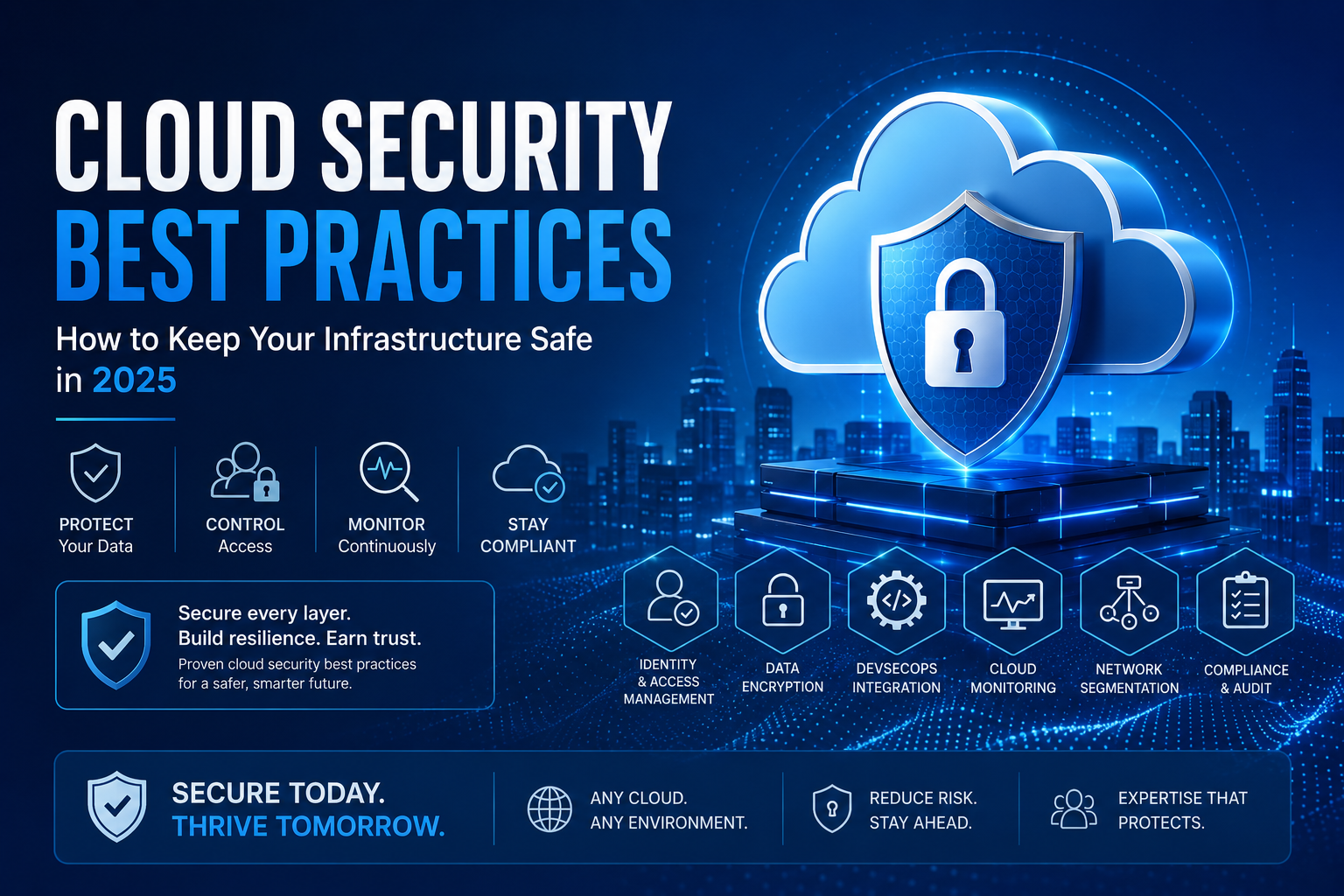
Introduction Every week, another enterprise makes headlines — not for a breakthrough product launch, but for a data breach that exposed millions of records and cost them far more than any security investment would have. The root cause, more often than not, is not sophisticated nation-state hacking. It is a misconfigured storage bucket, an over-permissioned service account, or an unmonitored API endpoint sitting quietly in the cloud. Cloud security best practices are not theoretical guidelines you file away after an audit. They are operational disciplines that determine whether your cloud infrastructure becomes a competitive advantage or a liability. As organizations move workloads to AWS, Azure, Google Cloud, and multi-cloud environments, the attack surface expands — and so does the need for structured, layered security. This guide covers the most critical cloud security best practices that security engineers, DevOps teams, and technology leaders need to implement today. Whether you rely on cloud security services, manage everything in-house, or operate through managed cloud services, these practices apply universally. Why Cloud Security Demands a Different Mindset Traditional on-premise security operated on a perimeter model — protect the castle walls and everything inside is safe. Cloud infrastructure invalidates that model entirely. In the cloud: Understanding this shift is the first cloud security best practice. Your security posture must be designed for distributed, dynamic, software-defined environments — not for static data centers. Cloud Security Best Practices: The Complete Framework 1. Enforce the Principle of Least Privilege (PoLP) Every user, service, and application in your cloud environment should have access to only the resources it absolutely needs — nothing more, nothing less. How to implement it: Over-permissioned accounts are one of the most exploited weaknesses in cloud environments. A compromised identity with administrator access can exfiltrate your entire data estate within minutes. 2. Enable Multi-Factor Authentication (MFA) Everywhere Passwords are not a security control — they are a convenience mechanism that happens to slow down attackers slightly. MFA is the actual control. Best practices for MFA: If your organization has not yet deployed MFA universally, this single control will reduce the risk of credential-based account takeovers by over 99%. 3. Encrypt Data at Rest and in Transit — Without Exceptions Encryption is non-negotiable. Every piece of data your organization stores or transmits in the cloud should be encrypted, period. Encryption best practices: 4. Integrate DevSecOps Services Into Your Development Lifecycle Security cannot be a post-deployment activity. By the time a vulnerability reaches production, remediating it costs 6 to 100 times more than catching it during development. DevSecOps services embed security into every stage of the CI/CD pipeline: Development: In build and test: In deployment: Mature DevSecOps services teams run security checks that complete in under 5 minutes and block only genuine risks — keeping developer velocity high while closing security gaps early. 5. Implement Robust Cloud Monitoring Services You cannot protect what you cannot see. Comprehensive cloud monitoring services give your team the visibility needed to detect, investigate, and respond to threats before they escalate. What effective cloud monitoring covers: Log management and aggregation: Threat detection: Infrastructure monitoring: Alerting and response: 6. Apply Network Segmentation and Zero Trust Architecture Flat networks are a disaster waiting to happen. If an attacker compromises one workload in a flat network, lateral movement to every other system is trivial. Network security best practices: 7. Secure Your Container and Kubernetes Environments Containers have become the dominant deployment unit in modern cloud infrastructure. Without proper security controls, a vulnerable container workload can compromise an entire cluster. Container security best practices: 8. Establish a Cloud Incident Response Plan When — not if — a security incident occurs, the quality of your response is determined entirely by preparation done before the incident happens. Incident response readiness: 9. Maintain Continuous Compliance and Audit Readiness Compliance frameworks — SOC 2, ISO 27001, PCI DSS, HIPAA, GDPR — are not bureaucratic hurdles. They are structured security programs that, when implemented correctly, reduce your actual risk posture. Compliance best practices: Managed cloud services providers with compliance expertise can accelerate your path to certification while reducing the internal overhead of ongoing compliance maintenance. 10. Perform Regular Penetration Testing and Vulnerability Assessments Security controls that have never been tested under adversarial conditions are theoretical, not proven. Testing best practices: The Role of Managed Cloud Services in Security For many organizations — especially those scaling rapidly or with lean security teams — building and operating a comprehensive cloud security best practices program entirely in-house is not realistic. Managed cloud services with security specialization provide: The question is not whether managed services eliminate the need for internal security ownership — they do not. The question is where your internal team’s expertise is best applied, and where a specialized partner can provide faster, more consistent outcomes. Cloud Security Best Practices: Quick Reference Checklist Control Priority Effort Enforce least privilege IAM Critical Medium Enable MFA universally Critical Low Encrypt all data at rest and in transit Critical Medium Integrate DevSecOps pipeline security High High Deploy cloud monitoring services High Medium Implement network segmentation High Medium Secure container and Kubernetes workloads High High Establish incident response plan High Medium Maintain continuous compliance Medium Medium Conduct regular penetration testing Medium Medium Conclusion Cloud security best practices are not a one-time project — they are an ongoing operational discipline that must evolve alongside your infrastructure, your threat landscape, and your business requirements. The organizations that treat security as a continuous practice, embedded into every layer of their cloud architecture, are the ones that avoid the headlines. Whether you implement these controls through internal engineering teams, DevSecOps services, cloud monitoring services, or managed cloud services providers, the foundation is the same: visibility, least privilege, encryption, continuous testing, and fast response. Start with the highest-impact controls first — MFA, IAM hardening, and encryption — and build from there. Every layer you add narrows the window of opportunity for attackers and reduces the blast radius when something inevitably goes wrong. Your cloud infrastructure can be your most secure environment.
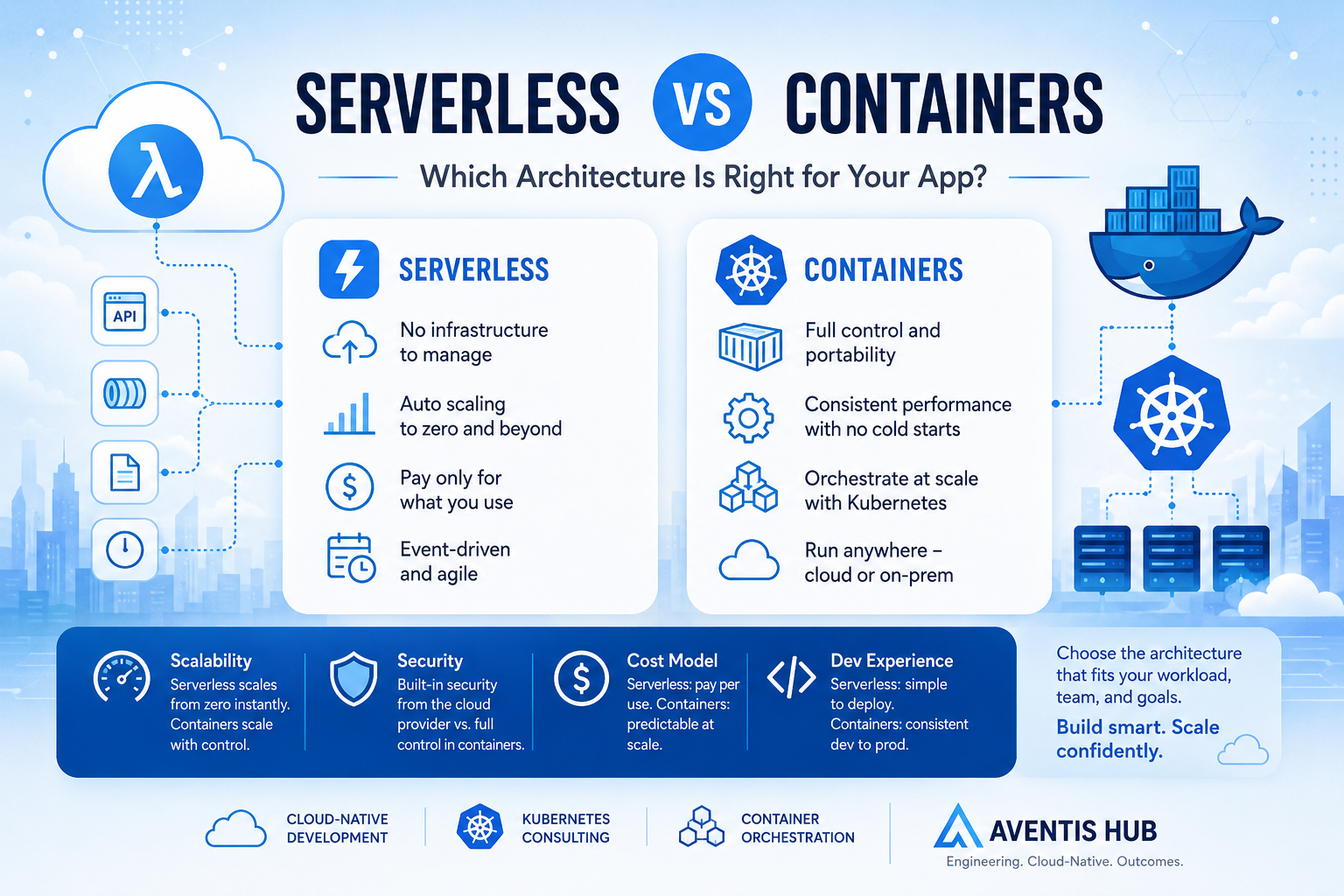
Serverless vs Containers: Which Architecture Is Right for Your App?
Introduction: One of the Most Important Architecture Decisions You’ll Make Here’s a scenario that plays out in engineering teams every day: someone kicks off a new project, opens up a whiteboard (or a Miro board), and someone asks “are we going serverless or containers?” The room splits. The serverless advocate talks about zero infrastructure management and automatic scaling. The containers person brings up vendor lock-in and cold start latency. An hour later, you’ve made a decision mostly based on who argued more confidently — not necessarily what was actually right for the project. Sound familiar? Serverless vs containers is one of those architecture decisions that can shape your project’s cost, complexity, and scalability for years. Getting it right matters — and it starts with really understanding what each approach offers, and where each one breaks down. This guide gives you an honest, practical comparison so you can make the call with confidence. Need help designing a cloud-native architecture that’s built for your specific use case? Aventis Hub’s cloud-native development services help teams architect applications that scale without unnecessary complexity. What Is Serverless Architecture? “Serverless” is a bit of a misleading name — there are absolutely servers involved. What it really means is that you don’t manage those servers. The cloud provider handles all the underlying infrastructure, and you just deploy your code. The most common serverless compute model is Functions as a Service (FaaS), with examples like: In a serverless model, your code runs in response to events — an HTTP request, a message in a queue, a file upload, a scheduled timer. The platform spins up an execution environment, runs your function, and tears it down. You pay only for the compute time you actually use, measured in milliseconds. Beyond FaaS, the serverless umbrella also covers managed databases (DynamoDB, PlanetScale), serverless containers (AWS Fargate), and fully managed application platforms (Vercel, Netlify). What Are Containers? Containers are a way of packaging your application and all its dependencies into a portable, consistent unit that can run anywhere — your laptop, a CI/CD pipeline, a cloud VM, or a Kubernetes cluster. Docker popularized containers, and Kubernetes became the dominant platform for orchestrating them at scale — managing deployment, scaling, networking, and health checks across fleets of containers. In a containerized architecture, you define your application as one or more container images, deploy them to a container orchestration platform, and manage how they scale, communicate, and recover from failures. Popular container orchestration options include: Serverless vs Containers: Head-to-Head Comparison 1. Operational Complexity This is probably the starkest difference between the two. Serverless: The cloud provider manages the infrastructure entirely. You don’t patch servers, manage clusters, configure load balancers, or worry about node health. Your operational surface area is dramatically smaller. For small teams or teams without dedicated DevOps/SRE resources, this is a massive advantage. Containers: You gain full control, but that control comes with responsibility. Running Kubernetes in production is a significant operational undertaking. You need to manage cluster upgrades, networking (ingress, service meshes), storage, secrets management, scaling policies, and more. Even with managed Kubernetes like EKS or GKE, there’s still substantial operational overhead. Winner for simplicity: Serverless — by a wide margin. 2. Cost Model Serverless: You pay per invocation and per unit of compute time. For workloads with variable or unpredictable traffic, this can be extremely cost-efficient — you’re not paying for idle resources. At low traffic volumes, serverless is often nearly free. But at very high, sustained throughput, per-invocation pricing can become more expensive than dedicated containers. Containers: You pay for the underlying compute (EC2 instances, managed node groups, etc.) whether or not your containers are actively serving traffic. This can be wasteful for bursty or low-traffic workloads. But for high and consistent throughput, reserved instances or committed use discounts can make containers significantly cheaper. Winner: Depends on your traffic pattern. Serverless wins at low/variable load; containers win at high sustained load. 3. Scalability Serverless: Scales automatically and near-instantly — from zero to thousands of concurrent executions without any configuration. This is one of serverless’s biggest superpowers for unpredictable workloads. Containers: Can scale well with Kubernetes Horizontal Pod Autoscaler and cluster autoscaling, but spinning up new nodes takes time (minutes, not seconds). Scaling is more configurable but requires more setup and tuning. Our Kubernetes consulting services help teams build scalable container architectures that autoscale efficiently without over-provisioning. Winner: Serverless for bursty, rapid-scale scenarios. Containers for fine-grained, predictable scaling requirements. 4. Performance and Latency Serverless cold starts are a real consideration. When a serverless function hasn’t been invoked recently, the first request triggers a “cold start” — the platform needs to initialize the execution environment before running your code. Cold starts can add hundreds of milliseconds to latency, which matters for user-facing APIs. Techniques like Lambda SnapStart and keeping functions “warm” can mitigate this, but it remains a genuine limitation. Containers avoid cold starts entirely. Once a container is running, it responds at application-level speed. For latency-sensitive applications — real-time APIs, gaming backends, financial services — this is often a deciding factor. Winner: Containers for consistent low-latency workloads. 5. Vendor Lock-In Serverless tends to create more vendor lock-in. AWS Lambda functions use AWS-specific SDKs, event sources, and infrastructure glue. Migrating a complex serverless application from AWS to GCP isn’t trivial. Frameworks like Serverless Framework and AWS SAM help with abstraction, but the lock-in is real. Containers are fundamentally more portable. A Docker container runs consistently across any environment that supports Docker or Kubernetes. Cloud-native development with containers gives you the freedom to move between cloud providers or run on-premises with much less friction. Winner: Containers for portability and cloud-agnostic deployments. 6. Development Experience Serverless can feel magical when it works — deploy a function and it’s live in seconds. But local development can be awkward. Emulating cloud-specific event triggers, testing integrations with other managed services, and debugging distributed serverless workflows requires extra tooling (like LocalStack for AWS service emulation). Containers provide a consistent development-to-production experience. If it runs in Docker
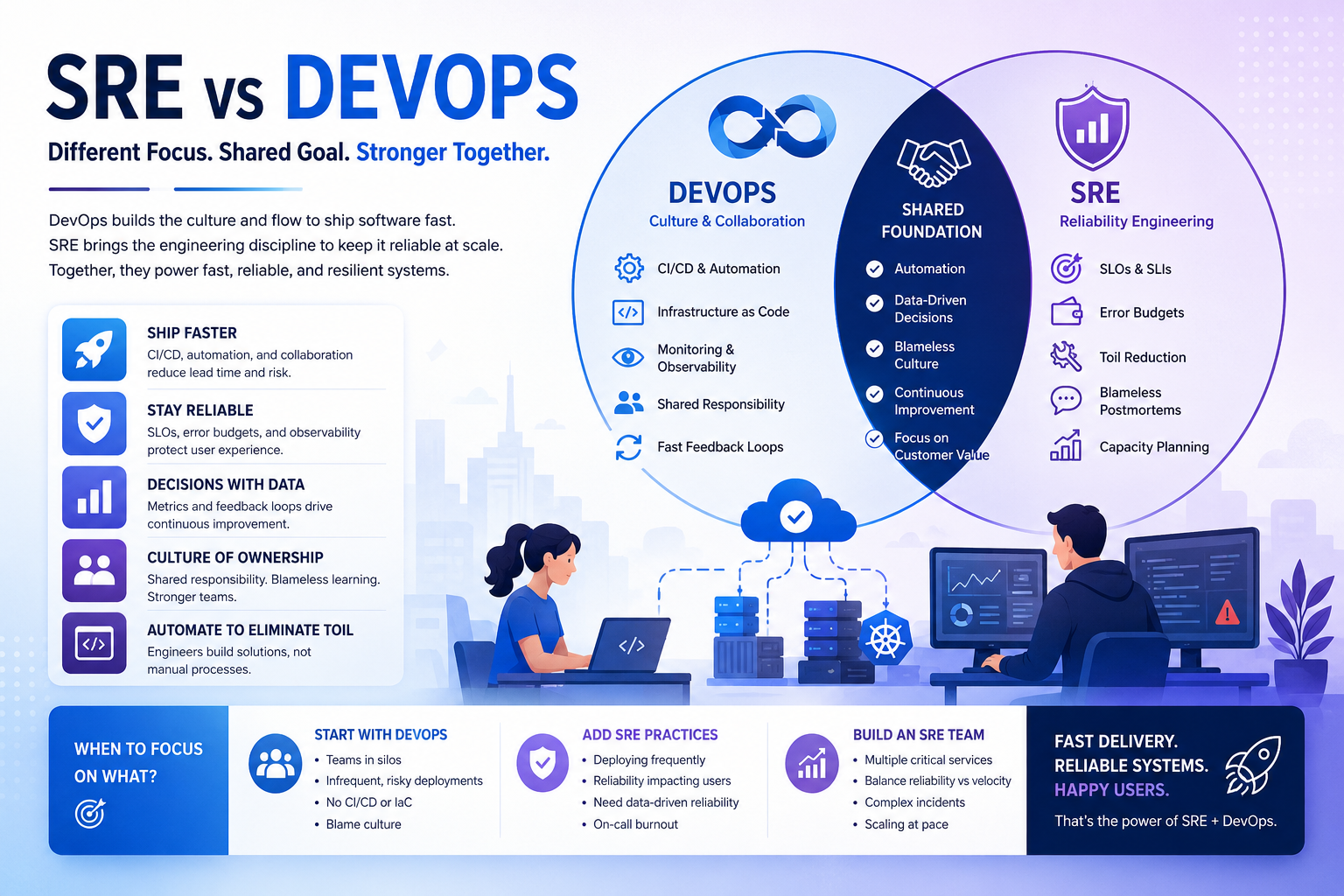
What Is SRE and How Is It Different from DevOps?
Introduction: SRE vs DevOps — Why Everyone Keeps Mixing These Up Ask ten engineers what the difference between SRE and DevOps is, and you’ll get eleven different answers. Some will tell you SRE is just DevOps with math. Others will say they’re completely different philosophies. A few will shrug and say their company calls it DevOps but it’s basically SRE. The confusion is real — and it has real consequences. When organizations don’t have a clear picture of what site reliability engineering (SRE) and DevOps actually mean, they end up building teams without clear mandates, shipping without proper reliability guardrails, and wondering why their on-call rotation is a nightmare. This guide is going to give you a clear, honest breakdown of both practices — what they are, how they’re different, where they overlap, and what the right choice looks like for your engineering organization. Not sure whether your team needs SRE, DevOps, or both? Aventis Hub’s DevOps consulting services help engineering teams build the right operational model for where they are today and where they’re going. What Is DevOps? (The Non-Buzzword Version) DevOps emerged around 2009 as a response to a very real problem: development teams and operations teams were working in silos, and it was killing software delivery speed and quality. Developers wanted to ship code fast. Operations teams wanted stability. The conflict between those goals was creating slow, painful releases and a toxic blame culture when things broke. DevOps is a culture, philosophy, and set of practices that breaks down those silos. It encourages development and operations to work together throughout the entire software lifecycle — from design and development through deployment, monitoring, and incident response. The core principles of DevOps include: DevOps is intentionally broad. It’s a culture and a mindset more than a job description. This is both its strength and its weakness — it means different things at different organizations, which can make it hard to implement consistently. Learn more about DevOps fundamentals from the DevOps Institute or explore Google’s DevOps research through DORA. What Is Site Reliability Engineering (SRE)? Site Reliability Engineering was invented at Google around 2003 by Benjamin Treynor Sloss, and it started with a simple premise: hire software engineers to do what used to be done by operations teams. The fundamental insight behind SRE is that operations problems are fundamentally software problems. If your infrastructure is fragile, you don’t just need better processes — you need better software, better automation, and better systems thinking. SRE is more prescriptive than DevOps. It comes with a specific set of practices, metrics, and engineering principles: Google’s SRE books — available free online — are the foundational texts for anyone serious about reliability engineering. SRE vs DevOps: The Core Differences Now that we understand both, let’s put them side by side. 1. Philosophy vs Practice DevOps is primarily a cultural philosophy. It says: “Development and operations should work together, share responsibility, and communicate openly.” It’s a set of values and principles that can be implemented in many different ways. SRE is a specific implementation of reliability engineering principles. It says: “Here’s how you quantify reliability, here’s how you balance reliability and velocity using error budgets, and here’s how you structure the team to make it happen.” In fact, Google’s SRE handbook makes this relationship explicit: “SRE is what happens when you ask a software engineer to design an operations team.” 2. Scope DevOps covers the entire software delivery lifecycle — from how developers write code to how it gets deployed to how it’s monitored in production. The scope is broad by design. SRE is specifically focused on reliability and operational excellence in production. It cares deeply about how services behave under load, how incidents are managed, and how reliability is measured and maintained over time. 3. Metrics and Measurement DevOps success is often measured with deployment frequency, lead time for changes, mean time to recovery (MTTR), and change failure rate — the DORA metrics. SRE success is measured with SLOs, error budgets, and toil reduction. These are more specific and more directly tied to user experience and business outcomes. 4. Team Structure In a DevOps culture, there may not be a dedicated “DevOps team” — the goal is for everyone to share operational responsibility. DevOps engineers often sit within product teams or a platform team, providing tooling and pipelines. In a mature SRE model, there’s typically a dedicated SRE team (or embedded SREs within large product teams) with specific responsibility for reliability. They have the authority to slow down deployments if reliability is at risk — enforced via error budget policies. 5. How They Handle Toil DevOps acknowledges that manual operational work is bad and automation is good. SRE goes further: it quantifies toil and typically limits SRE engineers to spending no more than 50% of their time on operational work. The rest goes to engineering projects that reduce future toil. Where SRE and DevOps Overlap Despite the differences, SRE and DevOps aren’t in competition — they’re deeply complementary. Both share a commitment to: Many organizations practice both simultaneously. DevOps principles govern how teams collaborate and ship code, while SRE practices govern how production reliability is managed and measured. This is actually the most common and effective model at scale. Want to build a DevOps culture that also has real reliability engineering discipline? Aventis Hub’s SRE consulting services help teams build the organizational model and tooling they need to scale confidently. What Is Platform Engineering — and Where Does It Fit? You might have noticed a third term showing up more frequently in 2024 and 2025: platform engineering. It’s worth a quick mention here because it often gets conflated with both SRE and DevOps. Platform engineering is the practice of building and maintaining internal developer platforms (IDPs) — the golden paths, self-service tooling, and standardized infrastructure that product teams use to deploy and operate their services. Think of it this way: All three can and often do coexist in mature engineering organizations. The CNCF
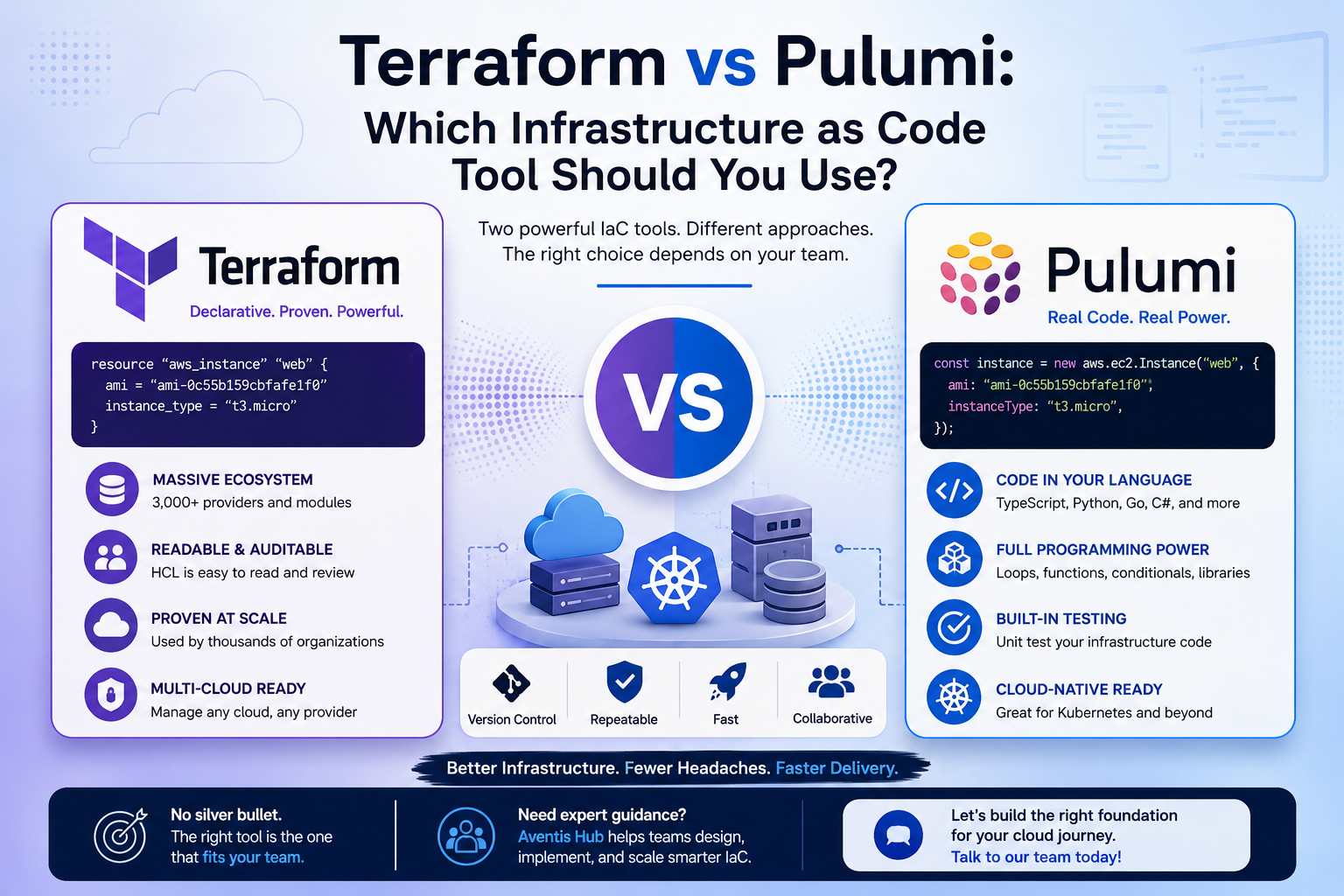
Terraform vs Pulumi: Which Infrastructure as Code Tool Should You Use?
Introduction: The IaC Debate Everyone in DevOps Is Having If you’ve spent any time in cloud infrastructure, you’ve probably heard this debate come up in Slack channels, engineering standups, and late-night Googling sessions: Terraform vs Pulumi — which one should we actually use? Both tools promise to make infrastructure as code (IaC) easier, faster, and more reliable. Both have passionate communities behind them. And both can absolutely get the job done. But choosing the wrong one for your team can mean months of technical debt, onboarding headaches, and a whole lot of “why did we pick this again?” moments. In this guide, we’re cutting through the noise. Whether you’re evaluating IaC tools for the first time or thinking about migrating from one to the other, this comparison will give you a clear, honest picture of what each tool does well — and where each one falls short. Need expert help choosing and implementing the right IaC strategy for your team? Aventis Hub’s infrastructure as code services are built for teams that want to move fast without breaking things. Let’s talk. What Is Infrastructure as Code, and Why Does It Matter? Before we dive into the Terraform vs Pulumi comparison, let’s quickly ground ourselves. Infrastructure as code (IaC) is the practice of managing and provisioning cloud resources — servers, databases, networking, Kubernetes clusters — through machine-readable configuration files rather than manual processes or interactive tools. Done right, IaC gives you: The two dominant players in this space today are HashiCorp Terraform and Pulumi. Let’s look at each one closely. What Is Terraform? Terraform, built by HashiCorp and first released in 2014, is the most widely adopted IaC tool in the world. It uses its own declarative configuration language called HCL (HashiCorp Configuration Language) to describe the desired state of your infrastructure. You write .tf files that describe what resources you want — an AWS EC2 instance, a GCP Cloud SQL database, a Kubernetes cluster — and Terraform figures out how to create, update, or destroy them to match that desired state. Terraform manages a state file that tracks what’s currently deployed, which is central to how it plans and applies changes. Key strengths of Terraform: Where Terraform gets tricky: What Is Pulumi? Pulumi, launched in 2018, takes a fundamentally different approach. Instead of a domain-specific language, Pulumi lets you write infrastructure using real programming languages — TypeScript, Python, Go, C#, Java, and even YAML. This means you can use loops, functions, classes, conditionals, and any package from your language’s ecosystem to build infrastructure. Your IaC code lives alongside your application code and uses the same tools — IDEs, linters, test frameworks, CI/CD pipelines. Pulumi also manages state, and offers Pulumi Cloud as a hosted backend (with self-managed options too). Key strengths of Pulumi: Where Pulumi has friction: Terraform vs Pulumi: Head-to-Head Comparison Let’s break down the key dimensions that actually matter when you’re choosing between these two tools. 1. Language and Developer Experience This is the biggest differentiator. Terraform uses HCL, a declarative language purpose-built for infrastructure. It’s approachable for people without a strong programming background, and it’s easy to read infrastructure definitions at a glance. Pulumi uses real programming languages. If your team is made up of TypeScript or Python developers, writing infrastructure in a language they already know is a massive productivity win. You get autocomplete, type checking, unit testing, and the full power of modern development workflows. Winner: Depends on your team. Ops-heavy teams often prefer Terraform HCL. Dev-heavy teams often love Pulumi. 2. Ecosystem and Provider Support Terraform has a decade-long head start. The Terraform Registry has thousands of providers and modules covering everything from AWS and Azure to Datadog, Cloudflare, and GitHub. Pulumi’s ecosystem is growing fast, and its Terraform bridge means you can use most Terraform providers in Pulumi today. But native Pulumi providers and the community library of reusable components are still catching up. Winner: Terraform (for now, especially for niche providers). 3. Kubernetes and Cloud-Native Support Both tools have strong Kubernetes support. Terraform manages Kubernetes clusters and resources, and integrates well with tools like Helm via the Helm provider. Pulumi shines in Kubernetes environments because you can express complex, dynamic configurations in code. Pulumi’s Kubernetes operator also enables GitOps-style workflows natively. If Kubernetes is central to your platform strategy, Pulumi’s approach often feels more natural. Pair it with strong Kubernetes consulting services to get the most out of your cluster architecture. Winner: Pulumi (slight edge for complex Kubernetes use cases). 4. State Management Both tools maintain a state file that represents your current infrastructure. Terraform’s state management is mature, with support for remote backends like S3, GCS, and Terraform Cloud. Managing state in large teams requires discipline — locking, workspaces, and secure storage are all things you need to get right. Pulumi handles state similarly, with Pulumi Cloud as the default backend and support for self-managed backends (S3, Azure Blob, etc.). The experience is slightly more polished out of the box for small to mid-sized teams. Winner: Tie. Both are mature; choose based on what fits your existing tooling. 5. Testing and CI/CD Integration Terraform testing has improved significantly with the introduction of Terraform test framework in v1.6. Tools like Terratest also fill the gap for integration testing. Pulumi has a built-in testing model that integrates naturally with unit testing frameworks in each supported language. This makes it easier to write meaningful tests for your infrastructure logic. Winner: Pulumi (especially for teams that take testing seriously). 6. Community and Support Terraform’s community is enormous. Stack Overflow, GitHub, forums, blog posts, YouTube tutorials — the volume of Terraform content is hard to beat. If you run into a problem, someone has probably already solved it. Pulumi’s community is smaller but growing quickly, and the Pulumi team is highly active on their Community Slack and GitHub. Winner: Terraform (for depth of community resources today). When Should You Choose Terraform? Go with Terraform if: Already using Terraform but struggling with scale or complexity? Our Terraform
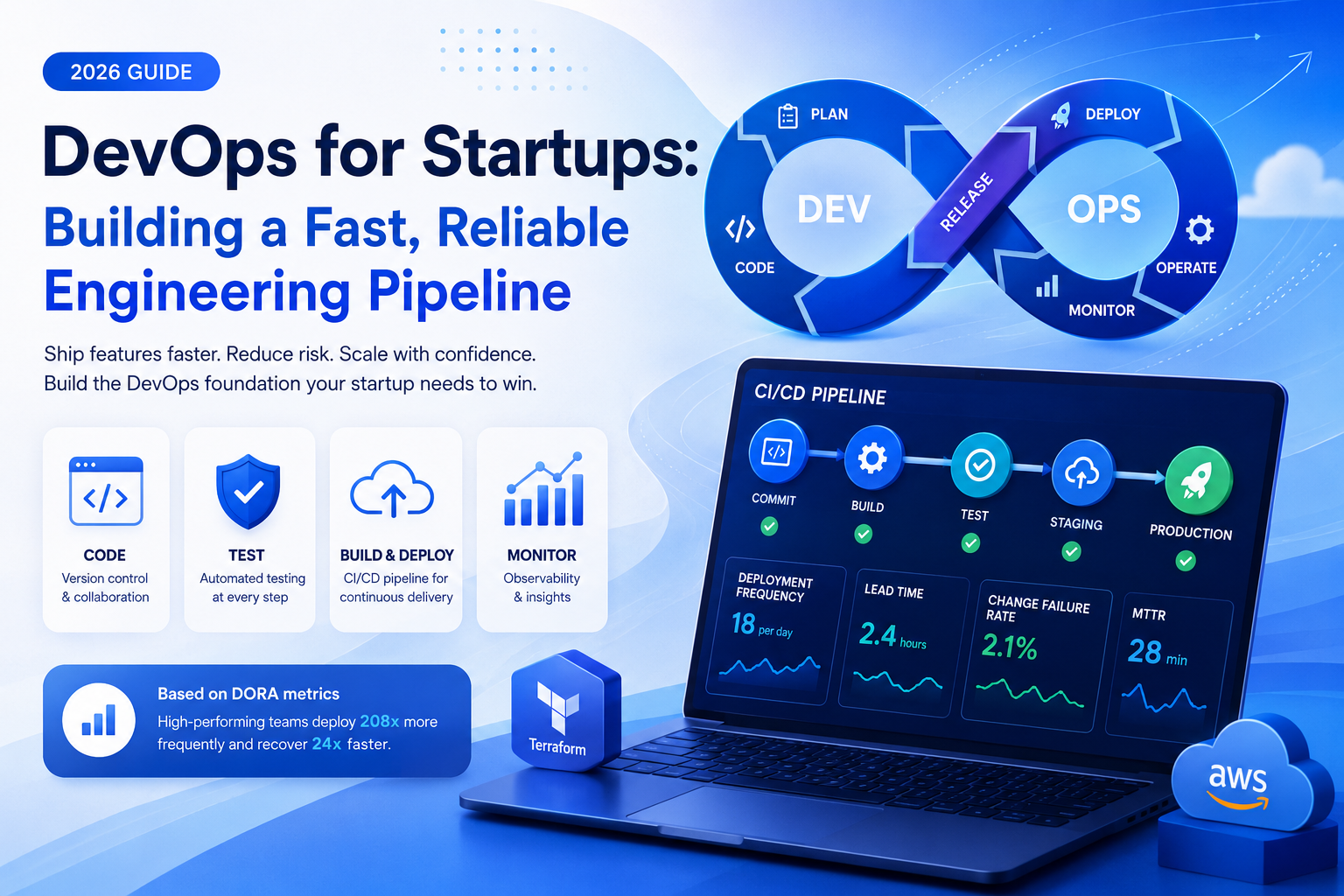
DevOps for Startups: Building a Fast, Reliable Engineering Pipeline
Speed is a startup’s most powerful competitive advantage. The ability to ship features, iterate on user feedback, and recover from failures faster than your competitors can be the difference between a company that wins its market and one that doesn’t. DevOps for startups is the engineering discipline that makes sustainable speed possible — not just in the early days, but as your product and team scale. This guide is written specifically for technical founders, engineering leads, and CTOs building out their engineering culture and infrastructure. You’ll learn the DevOps fundamentals that matter most for startups, the most common mistakes early-stage teams make, and how to build a CI/CD pipeline that scales with your growth. Why DevOps Matters More for Startups Than You Think Many founders treat DevOps as something large enterprises do — a complexity tax for organizations with hundreds of engineers. This is a mistake that compounds quickly. The reality is that DevOps for startups pays its biggest dividends early. A well-implemented DevOps culture means: These capabilities aren’t luxuries — they’re infrastructure that determines how fast your company can learn and grow. And the cost of not having them compounds: every month you delay building a proper DevOps foundation, you’re accumulating technical debt that becomes more expensive to unwind. Read the DORA State of DevOps Report The Core Pillars of DevOps for Startups DevOps for startups doesn’t mean implementing every DevOps practice from day one. It means building the right foundation in the right order. Here are the four pillars every startup should prioritize: Pillar 1: Version Control and Branching Strategy This sounds obvious, but a surprising number of early-stage teams haven’t established clear branching conventions, code review processes, or commit policies. Your version control system (Git, almost certainly) is the backbone of your entire engineering workflow. Adopt a simple, clear branching strategy early. For most startups, a trunk-based development model or a lightweight GitFlow variant works well. The key is consistency — everyone on the team follows the same conventions, and merging to main always triggers automated quality checks. Pillar 2: Automated Testing Manual testing is the enemy of speed. Every time a developer has to manually verify that their changes didn’t break something, you’re adding friction, slowing down delivery, and creating opportunities for human error. A comprehensive automated testing strategy for startups typically includes: You don’t need 100% test coverage from day one. Start with the highest-risk paths — authentication, payment flows, data mutations — and expand coverage systematically over time. Pillar 3: Continuous Integration and Continuous Delivery (CI/CD) A CI/CD pipeline is the heartbeat of DevOps for startups. Continuous Integration means every code change is automatically built, tested, and validated before it can be merged. Continuous Delivery means that code in your main branch is always in a deployable state — and ideally deployed to production automatically or with a single human approval step. CI/CD pipeline services dramatically reduce the risk of shipping code. Instead of infrequent, high-stakes “release days” where everything is deployed at once, you ship small, incremental changes continuously — making it easier to identify what caused any problem and roll it back quickly. Popular CI/CD platforms for startups include GitHub Actions, GitLab CI/CD, CircleCI, and Buildkite. For most startups, GitHub Actions is the lowest-friction starting point given its tight integration with GitHub and generous free tier. Explore GitHub Actions documentation Pillar 4: Infrastructure as Code (IaC) If your team is manually configuring servers, databases, and cloud resources through web consoles, you’re accumulating invisible technical debt. Infrastructure as Code means your entire cloud environment is defined in version-controlled configuration files — reproducible, auditable, and deployable in minutes. Terraform is the most widely adopted IaC tool and works across AWS, GCP, Azure, and dozens of other providers. AWS-native teams may prefer CloudFormation or the AWS CDK. Pulumi is gaining traction for teams that prefer writing infrastructure in TypeScript or Python. The payoff: when something breaks, you can rebuild your entire environment from scratch. When you need to spin up a new environment (staging, QA, performance testing), it takes minutes. When a new engineer joins, they’re not dependent on tribal knowledge to understand how your infrastructure works. Building Your First CI/CD Pipeline: A Practical Starting Point If your startup is starting from scratch with DevOps for startups, here’s a practical implementation sequence that delivers value at each step rather than requiring a massive upfront investment: Week 1–2: Source Control Hygiene Week 2–4: Automated Testing Foundation Week 4–8: CI/CD Pipeline Setup Week 8–12: Infrastructure as Code Month 3–6: Observability and Monitoring This sequence is designed to deliver compounding value — each step makes the next one more impactful. Explore infrastructure as code with Terraform Common DevOps Mistakes Startups Make Understanding DevOps for startups also means recognizing the pitfalls that slow teams down. Here are the most common mistakes early-stage engineering teams make: Mistake 1: Treating DevOps as an Infrastructure Problem DevOps is first and foremost a cultural practice — it’s about collaboration, shared ownership, and continuous improvement. Teams that implement CI/CD tooling without changing how developers and operations people work together often end up with automated versions of the same siloed behaviors. Mistake 2: Skipping Tests to Ship Faster The pressure to move fast often leads startup teams to de-prioritize automated testing. This works in the very short term but creates a vicious cycle: as the codebase grows, untested code becomes harder to change safely, velocity drops, and developers spend more time debugging production issues rather than building features. DevOps implementation services often help teams break this cycle by establishing testing practices that fit their current stage. Mistake 3: Manual Deployments If deploying your application requires a developer to SSH into a server and run commands, or manually execute a sequence of steps, your deployment process is a reliability risk. Manual steps introduce human error, make deployments stressful, and slow down your ability to respond to incidents. Mistake 4: Treating Security as an Afterthought Security should be integrated into your CI/CD pipeline from the beginning
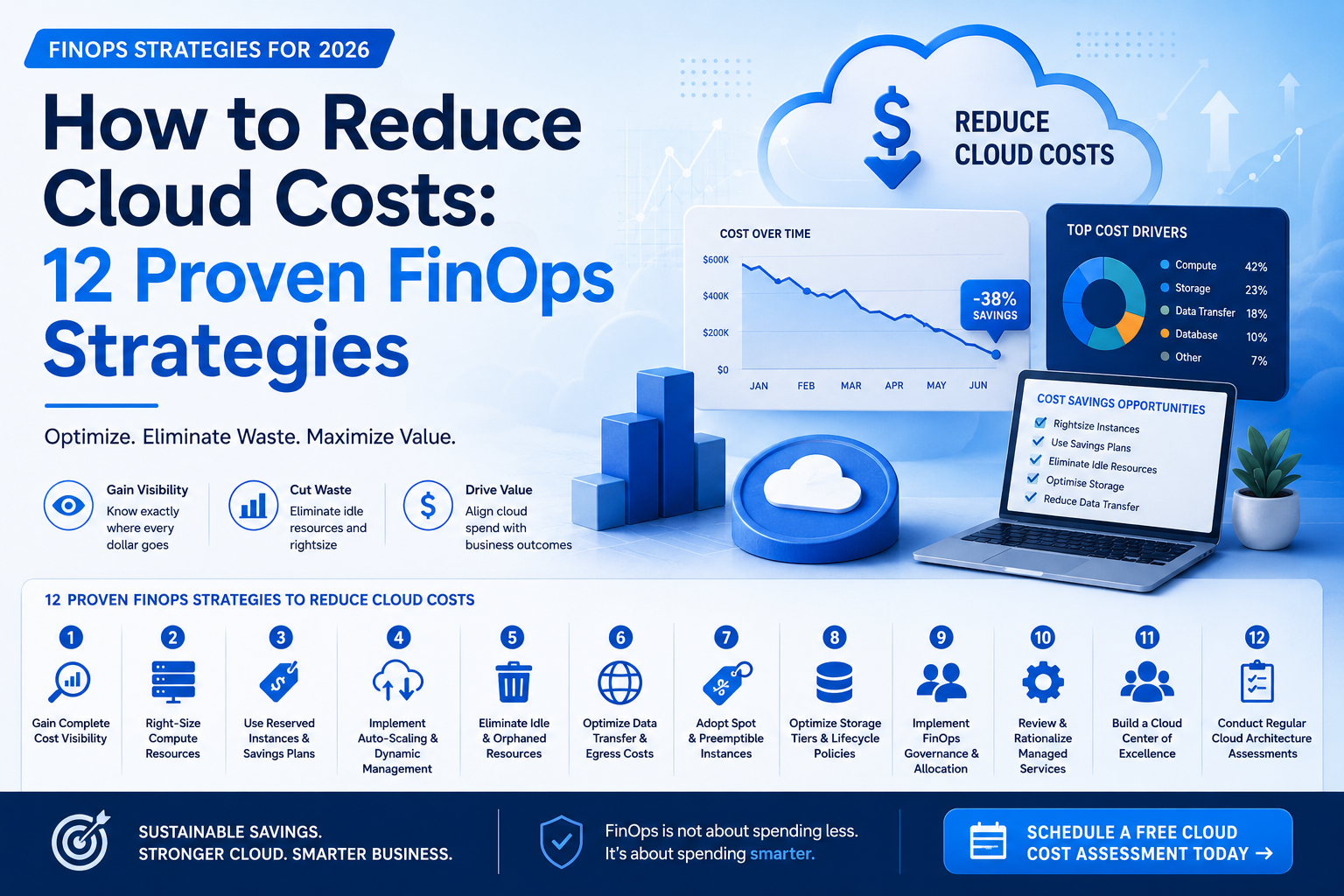
How to Reduce Cloud Costs: 12 Proven FinOps Strategies
Cloud infrastructure is one of the fastest-growing line items in any technology budget. For many companies, cloud spend doubles every 18 to 24 months — often without a corresponding doubling of value. If your team is asking how to reduce cloud costs without compromising reliability or engineering velocity, you’re in the right place. This guide walks through 12 battle-tested FinOps strategies that engineering leaders and finance teams can implement today. Whether you’re running a lean startup or managing cloud spend across a large enterprise, these techniques will help you identify waste, optimize usage, and build the financial discipline your cloud program needs. Why Cloud Costs Spiral Out of Control Before diving into how to reduce cloud costs, it helps to understand why they grow so fast in the first place. The answer is rarely malicious waste — it’s structural. Cloud infrastructure is designed to be frictionless to provision. Spinning up a new database, compute cluster, or data pipeline takes minutes. But that same frictionless provisioning often means resources are created without clear ownership, sunset plans, or cost accountability. Common culprits behind runaway cloud bills include: The good news: each of these problems has a concrete solution. That’s exactly what FinOps consulting services are designed to address — and what the following strategies will help you execute. Explore the FinOps Foundation’s best practices What Is FinOps? A Quick Primer FinOps (Financial Operations) is a cloud financial management practice that brings together engineering, finance, and business teams to make data-driven decisions about cloud spending. It’s not just about cutting costs — it’s about ensuring every dollar of cloud spend delivers business value. The FinOps Foundation defines three phases of FinOps maturity: Inform (understand your current spend), Optimize (reduce waste and right-size resources), and Operate (build continuous improvement into your engineering culture). Read the official FinOps framework With that foundation in place, let’s get into the strategies. 12 Proven Strategies for How to Reduce Cloud Costs 1. Build Complete Cloud Cost Visibility First You cannot manage what you cannot measure. The first step in any cloud cost optimization effort is establishing complete, real-time visibility into your cloud spend — broken down by team, service, environment, and application. Use tagging policies to enforce cost attribution. Every cloud resource should carry tags for owner, environment (production/staging/dev), project, and cost center. Without tagging, cost data becomes an undifferentiated mass that makes optimization nearly impossible. Tools like AWS Cost Explorer, Google Cloud’s Cost Management, Azure Cost Management, or third-party platforms like CloudHealth or Apptio Cloudability can help centralize this visibility. Compare cloud cost management tools 2. Right-Size Your Compute Resources One of the highest-impact ways to reduce cloud costs is right-sizing — ensuring your virtual machines, container resources, and managed services are sized appropriately for actual workload requirements, not theoretical peak demand. Most cloud providers offer native right-sizing recommendations based on utilization data. In practice, a significant share of cloud compute resources are chronically under-utilized — often running at 10–30% of their provisioned capacity. Conduct a quarterly right-sizing review as part of your cloud cost optimization services program. Even moving from a general-purpose to a compute-optimized instance family can generate meaningful savings. 3. Use Reserved Instances and Savings Plans On-demand pricing is the most expensive way to run cloud workloads. For any workload that runs continuously or predictably, committing to Reserved Instances (AWS), Committed Use Discounts (GCP), or Azure Reserved VM Instances can cut compute costs by 30–72% compared to on-demand rates. The key is matching your commitment scope to your actual usage patterns. Work with your FinOps consulting services team to analyze 90 days of usage data before making reservations — over-committing to the wrong instance types can lock you into costs that don’t align with your workload trajectory. 4. Implement Auto-Scaling and Dynamic Resource Management Static infrastructure is expensive infrastructure. If your servers are provisioned for peak load 24 hours a day but your traffic peaks for only 6 hours, you’re paying for idle capacity the other 18. Implementing auto-scaling groups, Kubernetes Horizontal Pod Autoscalers, or serverless architectures ensures your infrastructure scales down when demand drops. Pair this with scheduled scaling — automatically powering down non-production environments nights and weekends — for immediate savings. 5. Eliminate Idle and Orphaned Resources Every cloud account accumulates waste over time — development environments nobody uses, snapshots from decommissioned servers, load balancers attached to nothing, and IP addresses reserved but unassigned. Run a quarterly idle resource audit. Tools like AWS Trusted Advisor, GCP Recommender, and third-party platforms like Spot.io or Densify can automate this detection. In many organizations, eliminating orphaned resources alone reduces monthly cloud bills by 15–25%. This is one of the fastest wins in any cloud cost optimization services engagement — and it has zero performance impact. 6. Optimize Data Transfer and Egress Costs Egress costs — the charges for moving data out of a cloud provider or between regions — are one of the most overlooked sources of cloud waste. They don’t show up prominently in cost dashboards and can grow invisibly as your application scales. To reduce egress costs: architect services to minimize cross-region data transfer, use Content Delivery Networks (CDNs) to serve static assets at the edge, and evaluate whether your multi-cloud strategy is generating unnecessary transfer charges. Understanding how to reduce cloud costs from egress often requires a detailed cloud architecture assessment to trace data flows and identify optimization opportunities. 7. Adopt Spot and Preemptible Instances for Fault-Tolerant Workloads Spot Instances (AWS), Preemptible VMs (GCP), and Spot VMs (Azure) offer compute capacity at discounts of 60–90% compared to on-demand pricing. The trade-off: these instances can be reclaimed with short notice when demand for on-demand capacity increases. This makes spot instances ideal for batch processing, CI/CD workloads, machine learning training jobs, and stateless microservices that can be designed to handle interruptions gracefully. If your engineering team hasn’t explored spot usage, this is one of the highest-leverage strategies for how to reduce cloud costs on compute-intensive workloads. 8. Optimize Storage Tiers and Data Lifecycle