The no-code revolution of the past five years has genuinely changed what founders can build without writing a line of code. Consequently, the no-code vs custom development decision is more nuanced in 2026 than it has ever been. Furthermore, it is a decision that determines how fast you can validate, how much your first version costs, and how soon you hit architectural ceilings that force a more expensive migration.
Moreover, the choice is not binary. Specifically, the most effective startup teams use no-code tools for the right jobs and custom development for the jobs where no-code falls short. Therefore, this guide gives you a clear, honest framework for making the no-code vs custom development decision based on your startup’s specific stage, goals, and technical constraints.
What Is No-Code Development?
Definition and Scope
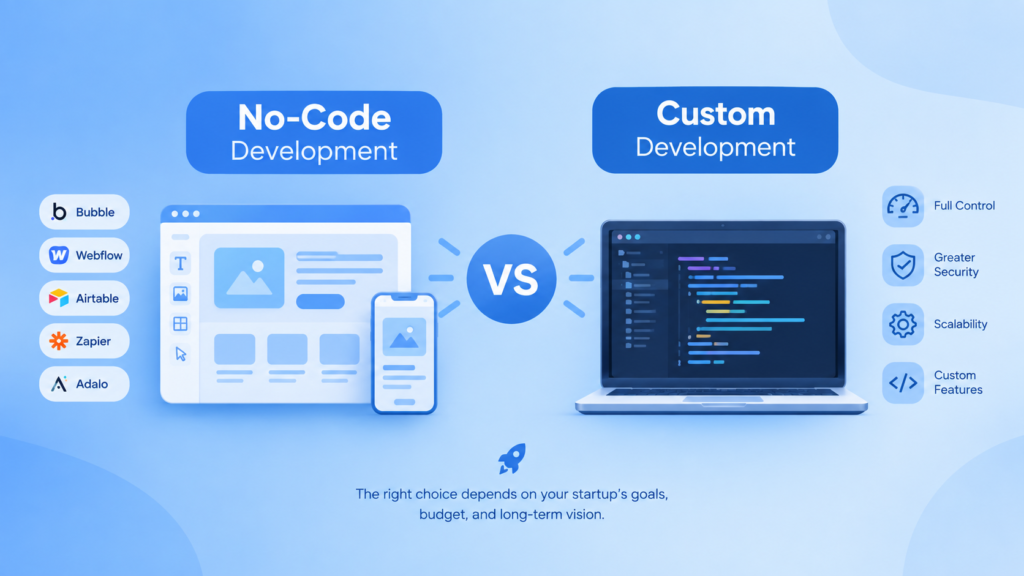
No-code development uses visual, drag-and-drop platforms to build functional applications without writing source code. Furthermore, leading no-code platforms include Bubble for web applications, Webflow for marketing sites and CMS-driven products, Glide and Adalo for mobile apps, Airtable for database-driven internal tools, and Make (formerly Integromat) and Zapier for workflow automation. Consequently, these tools enable non-technical founders to build functional products that would have required a development team two years ago.
What No-Code Does Well
• Landing pages and marketing sites with CMS-managed content — Webflow excels here and produces faster-loading pages than most custom implementations.
• Internal tools and operations dashboards — Retool and Airtable build internal tooling in hours that custom development takes days to produce.
• Simple workflow automation — Zapier and Make connect SaaS tools and automate repetitive processes without API development.
• MVP validation — a functional Bubble application demonstrates the core product workflow to investors and early customers in days rather than months.
• Prototype-quality user interfaces for investor demos — specifically for non-technical founders who need to show rather than describe.
What Is Custom Development?
Definition and Scope
Custom software development builds applications using code — HTML, CSS, JavaScript, Python, Ruby, or other programming languages — giving engineering teams full control over every aspect of the product. Furthermore, as Aventis Hub covers in our guide on the benefits of custom software development, custom development creates capabilities that are genuinely proprietary — no competitor can replicate your architecture by subscribing to the same platform. Consequently, custom development is the foundation of software products with genuine competitive differentiation.
What Custom Development Does Well
• Complex business logic that no-code platforms cannot represent — multi-sided marketplaces, dynamic pricing algorithms, custom matching engines.
• Performance-critical applications — no-code platforms introduce rendering overhead that custom code eliminates.
• Deep third-party integrations — connecting to enterprise systems, government APIs, financial data feeds, and hardware interfaces.
• Data security and compliance requirements — HIPAA, PCI DSS, and SOC 2 often require data architecture controls that no-code platforms cannot provide.
• Unique user experiences — custom interfaces that differentiate the product visually and functionally from anything achievable on a no-code template.
No-Code vs Custom Development: Head-to-Head Comparison
| Factor | No-Code | Custom Development |
| Time to first version | Days to weeks | Weeks to months |
| Upfront cost | Low — platform subscription fees | Higher — development investment |
| Ongoing cost | Platform fees grow with usage/users | Infrastructure + maintenance only |
| Scalability ceiling | Platform-dependent — often hits limits at scale | Effectively unlimited with right architecture |
| Customisation | Limited to platform capabilities | Complete — anything technically possible |
| Performance | Moderate — platform overhead | Excellent — optimised for specific requirements |
| IP ownership | Limited — runs on vendor platform | Full — you own the codebase |
| Vendor lock-in | High — migrating is costly | None — portable to any infrastructure |
| Security controls | Platform-managed — limited control | Full control — architecture and access management |
| Technical debt | Platform evolution risk | Standard development technical debt patterns |
When No-Code Is the Right Choice
Stage 1: Pre-Validation — Use No-Code to Test the Idea
Specifically, before you have validated that customers want and pay for your product, no-code is almost always the right choice. Furthermore, the goal at this stage is generating evidence, not building production infrastructure. Consequently, a Bubble application that demonstrates the core workflow costs $2,000 in platform fees and a few weeks of a no-code developer’s time — versus $30,000-80,000 for a custom MVP that may need significant reworking after early customer feedback.
Stage 2: Internal Tools and Operations — No-Code Often Wins Permanently
Moreover, internal operational tools — dashboards, CRM customisations, data management interfaces, workflow automation — frequently stay on no-code platforms permanently, even in companies with mature engineering teams. Consequently, Retool, Airtable, and Notion build internal tooling faster and more cheaply than custom development, and the performance requirements for internal tools rarely justify a custom build.
Stage 3: Simple Product Types That Map to No-Code Strengths
Furthermore, specific product categories are well-served by no-code platforms indefinitely: content-driven websites and blogs, simple booking and scheduling tools, directory products, community platforms, and e-commerce stores. Specifically, Shopify serves as a no-code platform for e-commerce that powers multi-million-dollar businesses. Consequently, founders building in these categories should validate thoroughly on no-code before assuming custom development is necessary.
When Custom Development Becomes Necessary
You Are Hitting No-Code Platform Limits
The most common trigger for the no-code to custom development transition is hitting platform limitations. Specifically, these include performance degradation at higher user volumes, inability to implement a core feature the business requires, integration limitations with external systems, and data model constraints that prevent the product from evolving in the direction customers request. Furthermore, these limitations typically emerge between 1,000 and 10,000 users for most no-code platforms.
Compliance and Security Requirements Require Code-Level Control
Moreover, when enterprise customers request SOC 2 certification, when your product handles healthcare data requiring HIPAA compliance, or when financial data requires PCI DSS controls, no-code platforms frequently cannot satisfy audit requirements. Consequently, compliance-driven migration from no-code to custom is one of the most common patterns Aventis Hub’s development team supports. For context on what compliance requires technically, see our guide on cybersecurity best practices.
Competitive Differentiation Requires Proprietary Technology
Additionally, when your competitive advantage depends on a capability that no competitor can replicate by subscribing to the same platform, custom development becomes strategically necessary. Specifically, if your product’s value proposition is a unique algorithm, a proprietary data model, or a custom interface pattern — and a competitor could build the same product on Bubble in two weeks — you do not have a defensible product.
You Are Scaling and Performance Matters
Furthermore, no-code platforms introduce rendering and processing overhead that becomes significant at scale. Consequently, SaaS products experiencing rapid user growth frequently see performance deterioration on no-code platforms at the exact moment that performance matters most — during growth phases where user experience directly affects retention and word-of-mouth.
The Migration Path: From No-Code to Custom
Transitioning from a no-code platform to custom development is a significant but manageable undertaking when planned carefully. Specifically, the strangler fig pattern — progressively replacing no-code functionality with custom-built equivalents while the no-code platform continues serving existing users — reduces migration risk. Furthermore, the data migration from a no-code database to a production-grade PostgreSQL database requires careful schema design and data quality assessment. As Aventis Hub’s MVP development guide covers, planning for this transition from the start — by keeping data structures clean and business logic documented — significantly reduces migration cost when the time comes.
Additionally, for founders evaluating this decision right now, our startup technology consulting team provides honest assessments of whether your specific product requirements justify custom development or whether no-code tools can carry you further than you expect. Furthermore, we help teams plan migrations from no-code platforms when the time is genuinely right — not prematurely, and not too late.
Frequently Asked Questions
Can a no-code app handle thousands of users?
Some no-code platforms scale better than others. Specifically, Bubble has powered applications with tens of thousands of users. However, performance degradation at scale is a documented limitation of most no-code platforms because they introduce processing overhead that custom code eliminates. Consequently, performance-testing your no-code application at projected peak load before assuming it will scale is essential before committing to growth marketing investment.
How much does it cost to migrate from no-code to custom?
Migration costs depend primarily on the complexity of the existing product and data. Specifically, migrating a simple Bubble application with a straightforward data model to a custom React and Node.js stack typically costs $25,000-60,000. Furthermore, complex products with many features, intricate data relationships, and custom plugins cost significantly more. Consequently, the total cost of no-code followed by migration often approaches or exceeds the cost of building custom from the start — which is why the timing of the no-code vs custom decision matters. For a full development cost breakdown, see our guide on custom software development costs.
| Not Sure Whether No-Code or Custom Development Is Right for Your Product?Aventis Hub’s startup development team gives founders an honest, evidence-based assessment of which approach fits their specific product, stage, and goals — and builds whichever path makes most sense. Talk to us before you commit to either direction.Book a free consultation with Aventis Hub today -> |